

The Quantum Barrier: Why "Q-Day" Matters to Your Small Business
Understand the threat of "Q-Day" and the Quantum Barrier to your small business. Learn why "Harvest Now, Decrypt Later" strategies make your current data vulnerable and how the shift to Post-Quantum Cryptography (PQC) in Windows and Chrome will protect your long-term security. Stay ahead of compliance and safeguard your business's future.
While most small business owners are focused on today’s payroll or next month’s marketing, a distant digital storm is brewing: The Quantum Barrier, or "Q-Day." It sounds like science fiction, but as Google recently warned, the rise of quantum computing represents a fundamental shift in how we must protect our data.
What is Q-Day?
In short, Q-Day is the theoretical point when quantum computers become powerful enough to crack the encryption that currently secures almost everything online—from your business bank transfers to your private client emails.
Traditional encryption relies on math problems that take today’s fastest computers trillions of years to solve. A quantum computer, as Nature explains, could potentially solve them in minutes.
Why Small Businesses Should Care Now
You might think, "I'm not a tech giant; why would hackers target me with a multi-million dollar quantum computer?" The threat isn't just in the future; it’s happening today through a strategy called "Harvest Now, Decrypt Later."
Cybercriminals are currently stealing and storing encrypted data from businesses of all sizes, waiting for the day they have the quantum power to unlock it. If you handle sensitive patient records, legal documents, or long-term financial contracts, that data could be exposed five or ten years from now.
Security in a PQW (Post-Quantum World)
In a post-quantum world, a small business owner’s digital security becomes invisible but essential. You’ll no longer rely on the vulnerable math of the past; instead, your bank, email provider, and website will run on Post-Quantum Cryptography (PQC).
To your customers, nothing changes—their trust remains intact. To you, it means peace of mind that "Harvest Now, Decrypt Later" attacks can’t touch your historical records. Your hardware will be modern, your software auto-updated with NIST-compliant standards, and your long-term data (like patient files or contracts) will be shielded against the once-terrifying threat of a quantum apocalypse.
The Impact on Your Operations
Trust & Compliance: If your industry requires data privacy (like HIPAA or PCI), your current standards may soon be considered "non-compliant" as new quantum-resistant protocols are introduced.
Legacy Systems: Older hardware and software that can't be updated to "Post-Quantum Cryptography" (PQC) will become massive liabilities.
The good news? The transition has begun.
Tech leaders like Google are already implementing PQC in browsers like Chrome. Even Microsoft is preparing Windows for PQW. As a small business owner, your role is to stay informed, inventory your most sensitive long-term data, and ensure your IT partners are preparing for a post-quantum world.
Is your business data "quantum-ready"? Start by asking your IT provider if they are monitoring NIST’s new standards for quantum-resistant encryption.
Hey! I’m right here!
R

Google Drive Upgrade Protects Against Ransomware
Protect your small business from data loss with Google Drive’s new AI-powered ransomware shield. Learn how this automatic "alert and pause" feature stops sync infections, protects your Workspace data, and simplifies file recovery—all at no extra cost. Plus, get step-by-step instructions to update your team today.
For small business owners, the word "ransomware" is enough to cause a sleepless night. A single infected laptop can sync encrypted files to the cloud, potentially wiping out years of work in minutes. However, a new security upgrade from Google Drive is changing the math for anyone running Google Workspace.
Traditionally, cybersecurity has been a game of "before" and "after”: you either block the virus with antivirus software or you recover from a backup after the damage is done. Google’s new AI-powered ransomware detection fills the critical gap in between.
How It Works
Instead of just looking for known viruses, Google’s AI monitors how your files are behaving. If it detects a sudden burst of file encryption or corruption—the hallmark of a ransomware attack—it takes three immediate actions:
Pauses Syncing: It instantly cuts the connection between your computer and the cloud, preventing the "infection" from spreading to your online backups.
Alerts You Immediately: You’ll receive bold notifications on your desktop and in your inbox so you can take action before the entire network is compromised.
Simplifies Recovery: If a few files were affected before the pause, a new, user-friendly interface allows you to revert those specific files to their "pre-infection" versions.
Why This Matters for Small Business
Large corporations have massive IT budgets for "Endpoint Detection," but small businesses often rely on basic tools. This update brings enterprise-grade protection to your Workspace account at no extra cost.
By catching attacks 14 times more effectively than previous methods, this "ransomware shield" acts as a vital safety net. It ensures that even if a threat slips past your first line of defense, your most important business data remains safe, searchable, and recoverable.
Stay secure, stay productive, and let Google's AI watch your back.
Expert Tip: Ensure you are running Google Drive version 114 or later on your desktop to benefit from these automated "alert and pause" features! Just update Google Drive on your computer.
On a Windows Machine
Locate the Icon: Look for the Google Drive icon in your System Tray (bottom-right corner of your taskbar, near the clock). You may need to click the "up arrow" to see hidden icons.
Open Settings: Click the icon, then click the Settings gear icon in the top-right corner of the small pop-up window.
Check for Updates: Select About. A window will appear showing your current version. If an update is available, a button or link to "Update" or "Restart to Update" will typically appear here.
Manual Reinstall: If it isn't updating automatically, the most reliable way is to download the latest installer directly from the Google Drive download page and run it. It will overwrite your old version without deleting your files.
On a Mac
Locate the Icon: Find the Google Drive icon in the Menu Bar at the top-right of your screen.
Open Settings: Click the icon, then click the Settings gear icon.
Check for Updates: Select About. This displays your current version. macOS versions often prompt you with a notification when a restart is required to apply a downloaded update.
Force an Update: If you suspect you are behind, quit the app entirely (Settings Gear > Quit). Then, download the .dmg file from the Google Drive download page. Open the file and drag the Google Drive icon into your Applications folder, choosing "Replace" when prompted.
How to Verify Your Version
Once the app is open, you can always verify you are on the safe side of the "ransomware shield" by following these steps:
Click the Google Drive icon.
Go to Settings (Gear) > About.
Ensure the version number starts with 114 or higher (e.g., 114.0.2.0).
Note: If you manage multiple machines for your team, you can also push these updates centrally through the Google Admin Console if you have the proper administrative privileges.
Need help? I’m your guy. Let’s talk.
R
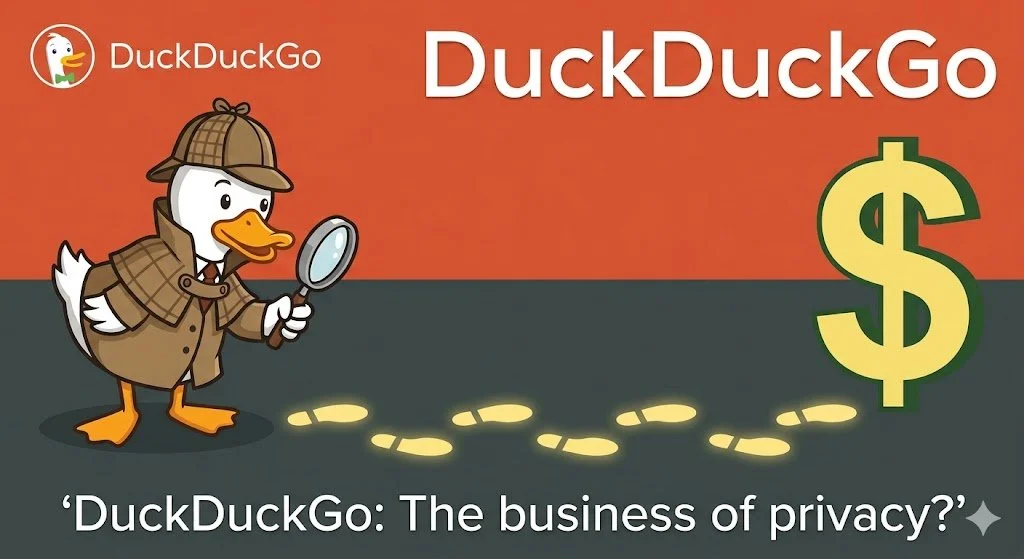
Is Duck-Duck-Go All It’s Quacked Up to Be?
Is DuckDuckGo truly the privacy savior it claims to be? In this post, we peel back the "anti-Google" mystique to explore how the platform actually makes money. From the nuances of contextual advertising to the complexities of their syndication agreement with Microsoft, we analyze the "Microsoft Asterisk" and the risks of privacy theater. Learn why your temporary intent is their primary product.
For years, DuckDuckGo has been the darling of privacy-conscious clients, lured by an "anti-Google" mystique. But in 2026, as digital literacy evolves, I feel it’s worth asking: DuckDuckGo is a business. They must make money. And if you aren’t paying for the product, what is being sold?
The Business of Context
DuckDuckGo isn’t a charity; it’s a profitable enterprise. Unlike Google, which sells behavioral ads (based on who you are and where you’ve been), DuckDuckGo primarily sells contextual ads.
When you search for "mountain bikes," they show you an ad for a bike shop. They don't need to know your age or medical history to do this — they just need to know what you typed into the search bar right now. This is their primary revenue stream, often facilitated through a long-standing syndication agreement with Microsoft.
The Microsoft "Asterisk"
I feel the biggest risk for users is "privacy theater." In 2022, it was revealed that while DuckDuckGo's browser blocked Google and Facebook trackers, it purposefully allowed Microsoft trackers due to their search contract. So DuckDuckGo isn’t tracking you, but Microsoft is. While they have since increased transparency and tightened these rules, it serves as a reminder: contractual obligations can trump privacy promises.
What are the Risks?
The Affiliate Loop: DuckDuckGo earns commissions through affiliate links (like Amazon or eBay). While anonymous, this still incentivizes the platform to direct your journey toward specific retail partners.
False Sense of Security: DuckDuckGo protects your search, not your connection. It is not a VPN, and it doesn't stop websites from "fingerprinting" your device once you leave the search results page. This means websites beyond DuckDuckGo profile you just as they normally would if you were using Google to find them.
Contextual vs. Behavioral: Why the Difference Matters
To understand DuckDuckGo’s model, you have to look at the "how" behind the ads.
Behavioral advertising (BA) are the bread and butter of giants like Google and Meta, built on a foundation of long-term surveillance. BA methodology creates a "shadow profile" of you by tracking your location, purchase history, and even the contents of your emails. When you see an ad for hiking boots on a news site, it’s not because the article is about hiking; it’s because the algorithm knows you were looking at boots three days ago. The risk here is data persistence: your past interests follow you forever.
Contextual advertising (CA), which DuckDuckGo utilizes, operates in the "now." It relies entirely on the content of the page you are currently viewing or the specific keyword you just typed. If you search for "best organic coffee," the engine shows you coffee ads. Once you close that tab, the relationship ends.
Profiling
But wait a sec. How can DuckDuckGo not profile users in some way? After all, the "If you aren’t paying for the product, you are the product" rule has rarely been proven wrong. However, there is a technical and legal distinction between what Google does and what DuckDuckGo claims to do. Here is the breakdown of why DuckDuckGo argues they don’t profile you.
1. No Personal Identifiers
Google’s business model depends on identity. They want to know your name, age, and location so they can link your search for "engagement rings" to your YouTube watch history and your Google Maps data.
DuckDuckGo, by contrast, claims to not store IP addresses or unique identifiers alongside your searches. In theory, this means they can’t "profile" you because they don’t have a "you" to attach the data to. Every time you search, you are essentially a stranger to them.
2. The Partner Problem (Microsoft)
This is where all bets are off While DuckDuckGo doesn’t profile you, they have historically had agreements with Microsoft to provide search results and ads.
The Risk: In the past, DuckDuckGo's browser was found to allow Microsoft trackers while blocking others.
The Defense: They have since tightened this, and audits as recent as early 2026 suggest they do not retain user-identifiable data. However, when you click a search ad, you are effectively entering Microsoft’s ecosystem, and at that point, DuckDuckGo can no longer protect you from Microsoft’s own data practices.
The Reality: DuckDuckGo’s strategic relationship with Microsoft voids their assertion of being a completely independent crawler. They use a variety of sources, but their primary partner for search results and advertisements is Microsoft (Bing).
The Pro-DDG View: Okay, so they’re are a privacy-focused "skin" that filters out the tracking junk Microsoft usually attaches to search results.
The Skeptic's View: But what they really are is a specialized sales channel for Microsoft’s ad inventory, targeting users that Microsoft couldn't otherwise reach.
3. The Lack of "Memory"
The biggest difference is that DuckDuckGo doesn't provide personalized search results. If you and I both search for "Python," Google might show you the snake (because you like zoos) and show me the programming language (because I'm a developer and IT guy). On DuckDuckGo, we both see the same results.
Crucial Distinction: DuckDuckGo isn’t trying to build a "virtual identity" of you because their search engine isn't designed to use one. Their ads are sold based on the keyword, not the person.
The trade-off is efficiency vs. privacy. Behavioral ads are often more "relevant" because they know your deepest habits, but they require a massive, centralized database of your life to function.
Contextual ads are less precise but far safer; they monetize your temporary intent rather than your permanent identity.
For a business like DuckDuckGo, this is the middle ground that allows them to pay the bills without needing to own your digital soul.
The Bottom Line
DuckDuckGo is a business selling a cleaner search experience, but they are still a middleman in a multi-billion dollar advertising ecosystem. They aren't selling "you," but they are selling your intent — to Microsoft — and that still has a price.
R