
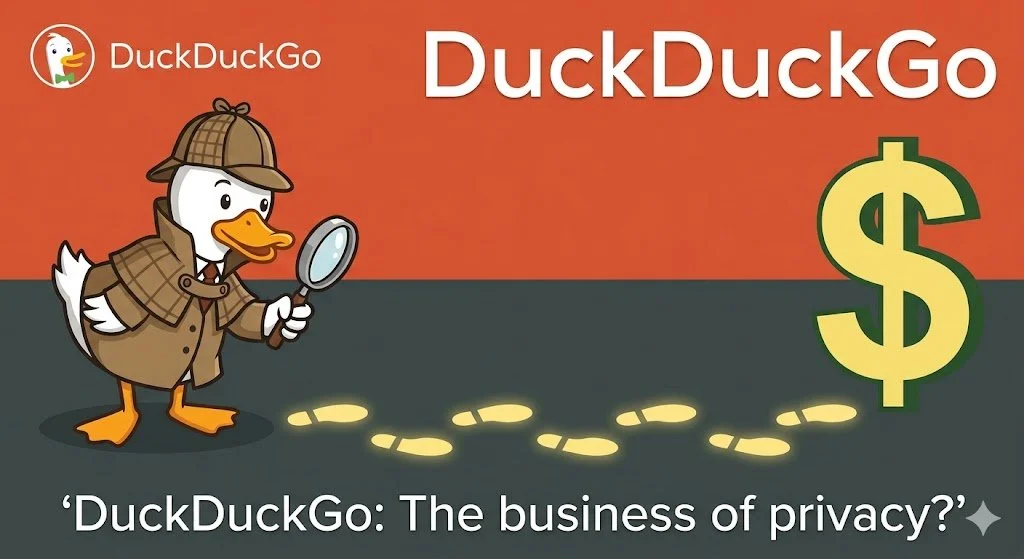
Is Duck-Duck-Go All It’s Quacked Up to Be?
Is DuckDuckGo truly the privacy savior it claims to be? In this post, we peel back the "anti-Google" mystique to explore how the platform actually makes money. From the nuances of contextual advertising to the complexities of their syndication agreement with Microsoft, we analyze the "Microsoft Asterisk" and the risks of privacy theater. Learn why your temporary intent is their primary product.
For years, DuckDuckGo has been the darling of privacy-conscious clients, lured by an "anti-Google" mystique. But in 2026, as digital literacy evolves, I feel it’s worth asking: DuckDuckGo is a business. They must make money. And if you aren’t paying for the product, what is being sold?
The Business of Context
DuckDuckGo isn’t a charity; it’s a profitable enterprise. Unlike Google, which sells behavioral ads (based on who you are and where you’ve been), DuckDuckGo primarily sells contextual ads.
When you search for "mountain bikes," they show you an ad for a bike shop. They don't need to know your age or medical history to do this — they just need to know what you typed into the search bar right now. This is their primary revenue stream, often facilitated through a long-standing syndication agreement with Microsoft.
The Microsoft "Asterisk"
I feel the biggest risk for users is "privacy theater." In 2022, it was revealed that while DuckDuckGo's browser blocked Google and Facebook trackers, it purposefully allowed Microsoft trackers due to their search contract. So DuckDuckGo isn’t tracking you, but Microsoft is. While they have since increased transparency and tightened these rules, it serves as a reminder: contractual obligations can trump privacy promises.
What are the Risks?
The Affiliate Loop: DuckDuckGo earns commissions through affiliate links (like Amazon or eBay). While anonymous, this still incentivizes the platform to direct your journey toward specific retail partners.
False Sense of Security: DuckDuckGo protects your search, not your connection. It is not a VPN, and it doesn't stop websites from "fingerprinting" your device once you leave the search results page. This means websites beyond DuckDuckGo profile you just as they normally would if you were using Google to find them.
Contextual vs. Behavioral: Why the Difference Matters
To understand DuckDuckGo’s model, you have to look at the "how" behind the ads.
Behavioral advertising (BA) are the bread and butter of giants like Google and Meta, built on a foundation of long-term surveillance. BA methodology creates a "shadow profile" of you by tracking your location, purchase history, and even the contents of your emails. When you see an ad for hiking boots on a news site, it’s not because the article is about hiking; it’s because the algorithm knows you were looking at boots three days ago. The risk here is data persistence: your past interests follow you forever.
Contextual advertising (CA), which DuckDuckGo utilizes, operates in the "now." It relies entirely on the content of the page you are currently viewing or the specific keyword you just typed. If you search for "best organic coffee," the engine shows you coffee ads. Once you close that tab, the relationship ends.
Profiling
But wait a sec. How can DuckDuckGo not profile users in some way? After all, the "If you aren’t paying for the product, you are the product" rule has rarely been proven wrong. However, there is a technical and legal distinction between what Google does and what DuckDuckGo claims to do. Here is the breakdown of why DuckDuckGo argues they don’t profile you.
1. No Personal Identifiers
Google’s business model depends on identity. They want to know your name, age, and location so they can link your search for "engagement rings" to your YouTube watch history and your Google Maps data.
DuckDuckGo, by contrast, claims to not store IP addresses or unique identifiers alongside your searches. In theory, this means they can’t "profile" you because they don’t have a "you" to attach the data to. Every time you search, you are essentially a stranger to them.
2. The Partner Problem (Microsoft)
This is where all bets are off While DuckDuckGo doesn’t profile you, they have historically had agreements with Microsoft to provide search results and ads.
The Risk: In the past, DuckDuckGo's browser was found to allow Microsoft trackers while blocking others.
The Defense: They have since tightened this, and audits as recent as early 2026 suggest they do not retain user-identifiable data. However, when you click a search ad, you are effectively entering Microsoft’s ecosystem, and at that point, DuckDuckGo can no longer protect you from Microsoft’s own data practices.
The Reality: DuckDuckGo’s strategic relationship with Microsoft voids their assertion of being a completely independent crawler. They use a variety of sources, but their primary partner for search results and advertisements is Microsoft (Bing).
The Pro-DDG View: Okay, so they’re are a privacy-focused "skin" that filters out the tracking junk Microsoft usually attaches to search results.
The Skeptic's View: But what they really are is a specialized sales channel for Microsoft’s ad inventory, targeting users that Microsoft couldn't otherwise reach.
3. The Lack of "Memory"
The biggest difference is that DuckDuckGo doesn't provide personalized search results. If you and I both search for "Python," Google might show you the snake (because you like zoos) and show me the programming language (because I'm a developer and IT guy). On DuckDuckGo, we both see the same results.
Crucial Distinction: DuckDuckGo isn’t trying to build a "virtual identity" of you because their search engine isn't designed to use one. Their ads are sold based on the keyword, not the person.
The trade-off is efficiency vs. privacy. Behavioral ads are often more "relevant" because they know your deepest habits, but they require a massive, centralized database of your life to function.
Contextual ads are less precise but far safer; they monetize your temporary intent rather than your permanent identity.
For a business like DuckDuckGo, this is the middle ground that allows them to pay the bills without needing to own your digital soul.
The Bottom Line
DuckDuckGo is a business selling a cleaner search experience, but they are still a middleman in a multi-billion dollar advertising ecosystem. They aren't selling "you," but they are selling your intent — to Microsoft — and that still has a price.
R

Is Your Browser a Backdoor?
Your web browser is often the weakest link in your small business security. Russell Mickler explains why 48% of attacks involve browser activity and provides actionable, non-technical steps—like enabling Chrome's Enhanced Protection—to shield your business from data theft, ransomware, and man-in-the-middle attacks.
As a small business owner, you likely focus your security efforts on strong passwords or complex firewalls. However, recent data suggests the real danger is much closer to home. According to a report highlighted by ZDNet, 48% of all cyberattacks now involve web browser activity.
For a small business, a single compromised browser can lead to data theft, ransomware, or financial ruin. Here is how you can secure your "digital storefront" using these essential tips.
The Big Three: Simple Moves for Major Impact
You don't need a massive IT budget to close the most common security gaps. Start with these three non-negotiables:
Update Relentlessly: It’s tempting to click "Remind Me Later," but browser updates are your first line of defense. They contain critical patches for "zero-day" vulnerabilities that hackers are already exploiting.
Look for the Padlock: Never enter sensitive business or financial data into a site that uses HTTP instead of HTTPS. Without that "S" (and the accompanying padlock icon), your data is traveling in plain text, making it an easy target for "man-in-the-middle" attacks.
By enabling "Always use secure connections" in Chrome, you are essentially putting a safety guardrail on your browser. Here is how this prevents a compromise:
Blocks "Man-in-the-Middle" Attacks: Without SSL (HTTPS), data sent between your computer and a website — like a credit card number or a login — is sent in "plain text." This means anyone on the same network (like at a coffee shop) can intercept and read it. Chrome’s native protection forces an encrypted connection, making that data unreadable to prying eyes.
Prevents Accidental Phishing: Many phishing sites are hosted on cheap, unencrypted HTTP servers. If you accidentally click a link to one of these, Chrome will stop you with a full-page warning before you even see the site, preventing you from ever entering your credentials.
Advanced Protection for Your Team
If your employees are online all day, consider these additional layers:
Ad Blockers: Tools like Privacy Badger don’t just stop annoying pop-ups; they prevent malicious "Clickfix" scripts and tracking that can slow down your systems and leak data.
Enhanced Protection: Within Chrome’s Privacy and Security settings, toggle on Enhanced Protection. This provides real-time warnings against known phishing sites and dangerous downloads before they can touch your hard drive.
The Bottom Line
In the age of AI-driven threats, your web browser is a primary target. By turning these habits into standard operating procedures for your business, you can significantly reduce your risk of becoming a statistic. Need help flipping these switches? Give me a ring.
R

How to Manage a Cybersecurity Incident
Cybersecurity isn't just for "Big Tech"; small businesses are prime targets. This non-technical guide breaks down a leadership-focused incident response runbook. Learn how to "stop the bleeding," communicate securely, and manage the aftermath of a breach to turn a potential crisis into a resilient strategy for your business's future.
You’re a small business owner. Cybersecurity sounds like a problem for bigger fish, but small businesses are often the primary targets for digital criminals. Why? Because they’re easy-pickin’s: small businesses are usually very busy and have no IT department.
So, again, you’re a small business owner. If you discovered a breach today, what would you do? Most owners don't, and that panic often leads to expensive mistakes.
Managing an incident isn’t just for technical engineers. It’s for people like you who must manage a crisis.
Here is a non-technical guide to help you navigate a security crisis without losing your cool.
1. Don’t Panic—Communicate Privately
When you suspect something is wrong — perhaps a suspicious wire transfer or a locked computer — the first step is to gather your key players. Avoid discussing the details on your main company email or Slack; if your system is compromised, the hackers might be "listening" to your plans. Keep your conversations private and offline until you’re in the clear.
2. "Stop the Bleeding"
Your instinct might be to start investigating "how" the breach happened. Ignore that for now. Your priority is to stop the damage.
Isolate: If one computer is behaving strangely, disconnect it from the network and Wi-Fi or just shut it down — even better.
Consult Experts: Talk to your IT provider before deleting information. Blindly cleaning up after a cybersecurity incident can sometimes delete the very evidence needed to recover your data or cause a permanent system crash.
3. Verify the Impact
Ask your team: “What is the worst-case scenario right now?” Is it customer credit card data? Your payroll system? Knowing exactly what is at risk helps you decide if you need to call your lawyer or insurance provider immediately.
4. Fix, Then Clean
Once the immediate threat is neutralized, implement a fix.
I’ll give you an opinion. It’s best to never just "clean" a hacked computer. It’s safer to wipe it entirely and restore from a known clean backup. This ensures no "backdoors" are left behind for the hacker to return.
I’ll give you another opinion. If you’re verifying the impact, and if you suspect the impact may involve criminal activity (an internal or external aggressor may have committed a crime), you may need to preserve the evidence of that crime, thus wiping a computer isn’t an option. Authorities must be notified, and the data has to be preserved in a forensically-acceptable way.
5. Loop in the Professionals
If you suspect customer data was stolen, or if you believe a crime was committed, you likely have legal obligations.
Legal & PR: Digital privacy laws vary by state. Consult your legal counsel before sending a mass email to customers. The wording matters for your liability.
IT: Contact your IT provider for advice and best practices.
Insurance: Contact your cyber-insurance carrier early; they often provide forensic experts to help you recover.
6. The "After-Action" Review
Once the dust settles, hold a postmortem. Sit down with your team and ask: How did they get in? How can we stop it from happening again? Use this moment to turn a crisis into a stronger, more resilient business strategy. Document, document, document. Record when you learned of the event, how you communicated the event to your staff, how you stopped the bleeding, how you performed an investigation, and what countermeasures you performed. Maintain an incident log so that you can learn from your mistakes or issues over time.
Need help building your defense?
We help small businesses turn IT from a source of stress into a managed asset. Please reach out to us to help secure your operations today.
R