

Connecting, Building, and Reinforcing Consumer Relationships
Small businesses can leverage technology to improve the customer relationship and differentiate themselves from their competition.

Hey small business owners:
How is your technology connecting with, building, and reinforcing customer relationships?
Look at the investments you've made in technology. Those investments could include your phone system, your point of sale system (POS), your website, your email service, or your customer relationship management system (CRM) - just to rattle a couple of ideas off of my head.
Your phones. How does your phone system quickly identify returning clients and escort them to the right party? Further, how does the phone system identify new people and give them a little extra TLC?
Your POS. How does your POS reward return customers; inform customers of upcoming sales or events; interconnect customers to the right people inside your organization; allow the consumer to save time through the checkout process? Is your POS doing any of these things at all, or is it "just a plain-old checkout process" that differentiate you from anybody?
Your website. Tell me how your website identifies customers, enables self-service, extends expertise from your company and into their hands when they need it? How does your website reinforce the relationship that you have with your customers, demonstrate expertise, relay important information?
Your email service. Email is the principal method of communication for everyone. How can your email system make it easier to connect with new clients and reinforce existing ones? Can automation in your mail system provide confidence or assurance that their issues are being addressed? Do you mine your email to find better ways of doing business?
Your CRM. How does your relationship management system interject human touches into the daily activities of your team? How can it be used to optimize and improve workflows?
Technology investments should yield returns, yes, but one of the more brilliant ways tech can return value is in customer relationships. If you haven't thought about how tech could bring value in every touch-point of your business workflows, now's a good time to start thinking about it. Now's a good time to bring in a small business consultant who can help you leverage technology and differentiate yourself from the pack.
R

Linksys EA4500 Fails with Error 502 Bad Gateway at Console
The Linksys EA4500 fails when reaching console with a 502 bad gateway error. Here's the technical fix.

So I was managing a Linksys EA4500 Router that was reporting "bad gateway" error 502 when attempting to access its console via a browser.
Multiple resets didn't resolve the problem. A firmware upgrade, however, did.
1. Check the back of the router for it's Hardware Version. It's next to the serial number and model number. If there is no version information, you're on Hardware Version 1.
2. Download the latest firmware image for the router. Do note the hardware version.
3. Unplug the WAN (Internet) port on the router.
4. Connect to the router with a physical cable on one of its standard Ethernet ports (not the WAN/Internet port).
5. Open a browser and browse to: http://myrouter.local
6. If that doesn't work, browse to the router's IP address.
7. The "bad gateway" should now be resolved. You're at Console Login. Login to the router.
8. Go to the Connectivity section and manually update the firmware with the file you downloaded.
9. After firmware application and reboot, you should be able to plug the WAN port back in and browse to console normally.
That should solve the issue.
R

Small Businesses At Increasing Risk of Cybercrime
Sure, there's been a lot of chatter about the OPM hack recently. But let's not forget how vulnerable the small business is to cybercrime, either.
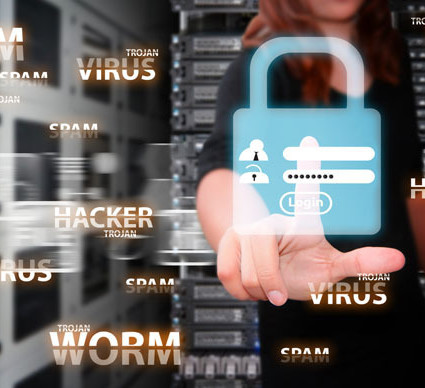
This week, the US Office of Personnel Management admitted that over 5.6 million fingerprint records were stolen in a hack perpetrated earlier in the year; that's significantly larger than what they first imagined was 1.1 million compromised records.
If your head is reeling from the enormity of such a breech, and if you somehow figure that only large corporations or government systems are the target of serious hacks, think again. Recent reports show that small/micro businesses aren't doing enough to protect themselves, either.
Phishing attacks, credit card fraud, virus infections, data compromises; malware, espionage, password compromises, shareware exploits. Sage recently released a good infographic claiming that up to 90-percent of data breaches impact small firms, and that 30-percent of businesses under 250 employees are the intended targets of cyberattacks; 1 in 5 small businesses fall victim to cybercrime every year, and 60-percent of those affected businesses go out of business.
“Half way through 2015 and cyber risks continue at an alarming rate. The criminals continue to become more sophisticated and have quick ‘go to market’ capabilities ... ”
The bottom line is that thinking about information system security isn't just for the enterprise: it's something every mom and pop shop should be doing, too. We can't fool ourselves. Larger corporations may provide a more inciting, data-rich environment, but the reality is that small businesses don't secure their systems in the way corporations would, which makes them easier targets. They don't have the talent or expertise to understand the safeguards they're implementing, let alone verify their suitability and functionality.
And if we somehow believe that free software downloaded from the Internet will solve our problems, we should probably think again. Every small business owner or manager should be finding a trusted cybersecurity partner. Mickler & Associates, Inc. - a computer security consultancy in Vancouver, WA - is uniquely positioned to help small businesses improve their security posture and audit their safeguards. Learn more about how we could help you today.
R