
5 Small Business Predictions for 2011
What should small businesses be prepared for in 2011? Let the Oracle of Vancouver explain it to you!

Okay, every year I've offered some insight into the year ahead for small businesses. In fact, I think it's quite common for any consultant and would-be psychic to demonstrate their astute prowess and outline clear bets. And this year is no different!
So - in a very envelope-to-forehead moment - here I go: my five predictions for the small business in 2011.
1. Lean. Call me a nattering naybob but I'm still not convinced that postponing tax breaks is going to eliminate uncertainty, nor is sustaining the current level of taxation going to put more money in people's pockets. I mean, it hasn't already so...? Economists are forecasting flat employment growth throughout 2011. So I think the small business is going to stay lean. They might even get leaner, employing some of the trends and tech below to reach even higher economies of scale and automation. Small businesses are learning - must learn - to do more with less, consistently, to survive. Look for some small businesses to fold whereas others take more drastic steps to achieve profitability: fire bad customers, lay-off entire regions or divisions, or, eliminate the need for a building.
2. Cloud. Why own when you can rent? That's really the idea being tossed around in the housing market but it's also applicable to small business computing! Why own a server, or, an application, when you can rent it for a period of time? And when you don't need it any more, ditch it? Efforts by all of the major vendors is making the cloud easier to reach and use by everyone. More small businesses will adopt cloud-based technologies and abandon the use of local servers. Look for more small businesses raising their hand and asking about the maturity of some of this technology, and for developing a migration strategy.
3. Social. If mass media is too expensive and budgets are tight, it doesn't take a rocket scientist to believe small businesses will start looking at social media as a viable alternative. Social networks allow businesses to get closer to consumers than ever before and to personify their brand. Yeah, we're going to see more of that. Look for small businesses to out-pace enterprise adoption, and to apply this technology more creatively, winning-over tight-wad consumers and convincing them to spend their scarce dollars locally! You just watch ... look for a substantial shift in marketing expenses away from television, radio, and print as traditional media continues to writhe and die a horrible, prolonged death.
4. Mobile. Next year will bring a gaggle of new gadget tech. The new iPhone 5 that'll feature 4G; a new iPad 2; a bunch of Android competitors; more eBook readers. Personally, I don't know where consumers are going to find the funds to invest in all of these disposable toys but, hey, the demand seems to be there. Look for small businesses to start leveraging Cloud and Social strategies across Mobile platforms to offer themselves greater flexibility in staffing and building expenses. Watch for people who passed on the iPhone 4 to scoop up the iPhone 5, and Apple - whose being fiercely eaten alive by Android in terms of market share, will announce some really cool features and enticements to retain their customer-base and pull-in defectors from the Android camp.
5. eBooks. Everybody's getting into them. Amazon, Google, Apple. This whole decade will be about transforming the distribution channel for books and video into an electronic medium, just like last decade was about music. Everybody, including you, are changing your consumer preferences! Self-publishing is here. Also, self-service is here because of plentiful low-cost bandwidth. Look for downward pressure on growth for large chain booksellers and video outlets; look for small/niche/specialty sellers in local communities cropping up to take their place. Look for our consumer habits to shift with more people consuming digital media over paper.
Predictions? Or perhaps I've just a command of the obvious? Meh, you decide.
By the way, I really liked this article from the Business Insider articulating 10 ways every small business should be preparing for 2011. Really good read!
R
5 Ways to Sabotage Your Small Business
So on the drive home from a networking event today, I was thinking about the ways you could kill your business. Here are my ideas:
- You Place Too Much Investment in One Person. If your business is critically dependent upon one person then there's darkness on the horizon. Spread the knowledge around. Don't make one person the linchpin that you can't live without. Not only is it a bad bargaining position but it could hamper business continuity should that employee go on vacation or get hit by a truck. Don't deliberately make your business dependent on anyone, especially you.
- You Fail to Automate/Outsource Routine Business Processes. Why is your company still processing anything by hand? Take the low-hanging fruit and get rid of it: payroll, invoices, payables, and receivables - classic business processes - can be entirely automated. Think about cost-shifting to providers who can manage these processes for you at a stronger economy of scale. BBSI out of Vancouver, WA is a great example of a payroll processor for small businesses. The faster you get the invoice out the door, the faster you get paid, the more likely you can take advantage of early payment discounts, and why not take advantage of electronic funds transfer instead of depositing checks? Companies who're not doing this will comparatively spend more in labor, make more mistakes, have a longer cash-flow cycle, and be more difficult to work with.
- You Ignore Self-Service. Transfer labor away from you and push it to your customers. Really, they don't mind. They expect it. Empower your customers with web-based tools. Heck, empower your employees with similar web-based capabilities. In what ways can your business put nearly everything a customer (or even an employee) needs to do business with you online? Or even mobile, like a smartphone app?
- You Ignore Search and Social Media. It's time to start thinking about SEO/SEM/SM strategies. If you don't know what these concepts are and what they mean to you in terms of being found by consumers, and retaining customers, start asking questions now: you're behind the curve. A great local guy that can help is Matt from Fringe Media Web Design in Vancouver, WA. Your customers are most likely to find your company through search engines and by asking friends on social networking sites. If you're not planning for this, your competitors are, making them easier to find and interact with than your company.
- You Assume the Best. Right. You should be planning for the worse. I've written about the state of the economy numerous times. You may already know that, in August 2010, the nation added approximately 26,000 private sector jobs; and you may also know that the country needs to add ten-times that (250,000) new private sector jobs consistently every month for three years to just re-employ the 8 million unemployed... bringing us back to where we were in 2007... and that's not even counting all of the newly unemployed added to the ranks since that time. This is all very unlikely to happen. Thus, it's time to face the music: barring some economic miracle, if you're not already learning how to do more with less consistently (indefinitely), you're at a competitive disadvantage to those who are. Your competitor is learning how to be more productive and efficient, and how to be more profitable. If you're optimistic and waiting for the tides to change, and just waiting, you may be waiting too long on the shore as the ship sails away. It's time to go on the offensive and to consider how to drastically reduce expenses while extending the highest value to your customers, and, achieving the highest efficiency.
R
10-Tips for Conserving Battery Life
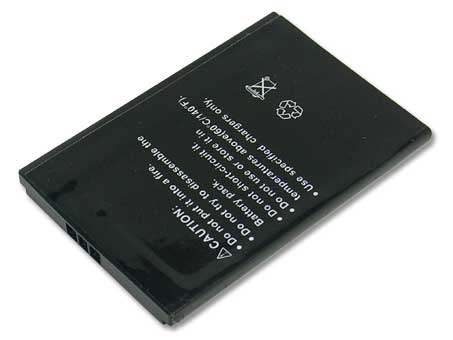
I'm recycling this content from my Technology Reflections newsletter issue thirteen. I'm asked this one a lot and it came up again today, and I wasn't sure why this wasn't already in my blog. So, here we go: ten things you can do to conserve battery life on mobile devices.
1. Brightness Control. Dim the brightness of the display. The display, along with the CD ROM and WiFi adapter, are the most power-draining devices on your laptop. The more you can do to keep brightness down, the better it is for battery longevity.
2. Detach Peripherals. Devices connected to the laptop draw off battery power. Disconnect as many devices as possible, and only use devices when you have to - disconnect them after their use.
3. Watch Demand. Watching a two-hour movie on a laptop is high-demand; intense graphics of any kind push processor needs, graphic displays, and input/output reads (from the hard disk or CD ROM). This creates more draw from the battery. Plug the unit in to an outlet if your demand needs are high.
4. Sleep (Hibernate). Set the system to hibernate and not suspend. Suspend keeps portions of the system online and drawing from the battery for a faster response from down-time. Instead, tell the system to hibernate which caches all of memory to the hard disk and shuts the system off. This will prevent excess draw against the battery.
5. Avoid Extremes. Extreme cold and heat will affect the chemistry of the batteries and make them less efficient. Try to keep your laptop in dry conditions, somewhere between 68 and 88 degrees.
6. Get a Second Battery. Why not? They're relatively inexpensive and could double your battery life, as well as allow you to load-balance between multiple batteries.
7. Defragment Often. Frequent defragging optimizes drive i/o and reduces the amount of time that it takes to access the hard disk. This minimizes the draw on the battery and optimizes performance.
8. Minimize. We wouldn't expect to see all of the applications on a desktop machine running on a laptop. This is because the laptop has to conserve more power, and shouldn't be running silly little weather applets (for example). Non-essential services and applications should be shut off or uninstalled while using the laptop unplugged.
9. Turn off auto-save features. Word and Excel like to do auto-saves on documents every 3 minutes which creates demand for the hard drive and consumes battery power. If you were to disable this feature in the Office suite, it would put less demand on the life of your battery.
10. Turn Off the WiFi. Your wireless adapter is a radio that constantly transmitting. That takes a lot of juice! You can power the adapter off by using a button usually found on the side or front of your laptop; it shuts down the adapter when not in use. It's a good security precaution, but it's also a great idea for conserving the battery.
And a bonus-tip: don't leave your battery/laptop plugged in indefinitely. Lithium-ion batteries can "burn" if they're always plugged in which damages the battery and prevents it from holding a charge. If you've ever noticed that, over time, your laptop's battery life is progressively smaller, it's usually due to the batteries "burning" in this fashion. Instead, allow the unit to recharge (perhaps 2-3 hours) then unplug the unit from the wall outlet.
R