
5 Ways to Sabotage Your Small Business
So on the drive home from a networking event today, I was thinking about the ways you could kill your business. Here are my ideas:
- You Place Too Much Investment in One Person. If your business is critically dependent upon one person then there's darkness on the horizon. Spread the knowledge around. Don't make one person the linchpin that you can't live without. Not only is it a bad bargaining position but it could hamper business continuity should that employee go on vacation or get hit by a truck. Don't deliberately make your business dependent on anyone, especially you.
- You Fail to Automate/Outsource Routine Business Processes. Why is your company still processing anything by hand? Take the low-hanging fruit and get rid of it: payroll, invoices, payables, and receivables - classic business processes - can be entirely automated. Think about cost-shifting to providers who can manage these processes for you at a stronger economy of scale. BBSI out of Vancouver, WA is a great example of a payroll processor for small businesses. The faster you get the invoice out the door, the faster you get paid, the more likely you can take advantage of early payment discounts, and why not take advantage of electronic funds transfer instead of depositing checks? Companies who're not doing this will comparatively spend more in labor, make more mistakes, have a longer cash-flow cycle, and be more difficult to work with.
- You Ignore Self-Service. Transfer labor away from you and push it to your customers. Really, they don't mind. They expect it. Empower your customers with web-based tools. Heck, empower your employees with similar web-based capabilities. In what ways can your business put nearly everything a customer (or even an employee) needs to do business with you online? Or even mobile, like a smartphone app?
- You Ignore Search and Social Media. It's time to start thinking about SEO/SEM/SM strategies. If you don't know what these concepts are and what they mean to you in terms of being found by consumers, and retaining customers, start asking questions now: you're behind the curve. A great local guy that can help is Matt from Fringe Media Web Design in Vancouver, WA. Your customers are most likely to find your company through search engines and by asking friends on social networking sites. If you're not planning for this, your competitors are, making them easier to find and interact with than your company.
- You Assume the Best. Right. You should be planning for the worse. I've written about the state of the economy numerous times. You may already know that, in August 2010, the nation added approximately 26,000 private sector jobs; and you may also know that the country needs to add ten-times that (250,000) new private sector jobs consistently every month for three years to just re-employ the 8 million unemployed... bringing us back to where we were in 2007... and that's not even counting all of the newly unemployed added to the ranks since that time. This is all very unlikely to happen. Thus, it's time to face the music: barring some economic miracle, if you're not already learning how to do more with less consistently (indefinitely), you're at a competitive disadvantage to those who are. Your competitor is learning how to be more productive and efficient, and how to be more profitable. If you're optimistic and waiting for the tides to change, and just waiting, you may be waiting too long on the shore as the ship sails away. It's time to go on the offensive and to consider how to drastically reduce expenses while extending the highest value to your customers, and, achieving the highest efficiency.
R
10-Tips for Conserving Battery Life
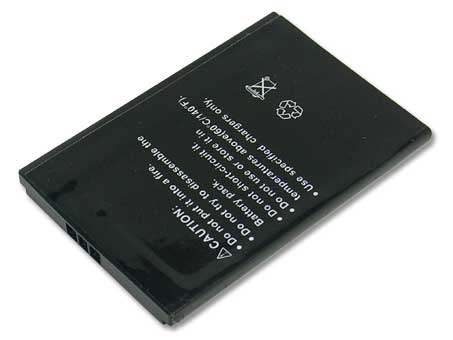
I'm recycling this content from my Technology Reflections newsletter issue thirteen. I'm asked this one a lot and it came up again today, and I wasn't sure why this wasn't already in my blog. So, here we go: ten things you can do to conserve battery life on mobile devices.
1. Brightness Control. Dim the brightness of the display. The display, along with the CD ROM and WiFi adapter, are the most power-draining devices on your laptop. The more you can do to keep brightness down, the better it is for battery longevity.
2. Detach Peripherals. Devices connected to the laptop draw off battery power. Disconnect as many devices as possible, and only use devices when you have to - disconnect them after their use.
3. Watch Demand. Watching a two-hour movie on a laptop is high-demand; intense graphics of any kind push processor needs, graphic displays, and input/output reads (from the hard disk or CD ROM). This creates more draw from the battery. Plug the unit in to an outlet if your demand needs are high.
4. Sleep (Hibernate). Set the system to hibernate and not suspend. Suspend keeps portions of the system online and drawing from the battery for a faster response from down-time. Instead, tell the system to hibernate which caches all of memory to the hard disk and shuts the system off. This will prevent excess draw against the battery.
5. Avoid Extremes. Extreme cold and heat will affect the chemistry of the batteries and make them less efficient. Try to keep your laptop in dry conditions, somewhere between 68 and 88 degrees.
6. Get a Second Battery. Why not? They're relatively inexpensive and could double your battery life, as well as allow you to load-balance between multiple batteries.
7. Defragment Often. Frequent defragging optimizes drive i/o and reduces the amount of time that it takes to access the hard disk. This minimizes the draw on the battery and optimizes performance.
8. Minimize. We wouldn't expect to see all of the applications on a desktop machine running on a laptop. This is because the laptop has to conserve more power, and shouldn't be running silly little weather applets (for example). Non-essential services and applications should be shut off or uninstalled while using the laptop unplugged.
9. Turn off auto-save features. Word and Excel like to do auto-saves on documents every 3 minutes which creates demand for the hard drive and consumes battery power. If you were to disable this feature in the Office suite, it would put less demand on the life of your battery.
10. Turn Off the WiFi. Your wireless adapter is a radio that constantly transmitting. That takes a lot of juice! You can power the adapter off by using a button usually found on the side or front of your laptop; it shuts down the adapter when not in use. It's a good security precaution, but it's also a great idea for conserving the battery.
And a bonus-tip: don't leave your battery/laptop plugged in indefinitely. Lithium-ion batteries can "burn" if they're always plugged in which damages the battery and prevents it from holding a charge. If you've ever noticed that, over time, your laptop's battery life is progressively smaller, it's usually due to the batteries "burning" in this fashion. Instead, allow the unit to recharge (perhaps 2-3 hours) then unplug the unit from the wall outlet.
R
10 Risks of Cloud Computing
@thescottydont asks on Facebook:
"True. However, seems like this video is missing some down sides. I ask you, Guru Mickler - are there down sides to Cloud Computing?"
Well, what a great question! And I think that it's only fair to honestly talk about the downsides to Cloud Computing as a small business strategy.
1. Application Maturity.
Today, many of the applications that you'd find hosted online as a cloud option use browser-based interfaces. Because of that, they're relatively simplistic as compared to applications installed on your local hard drive or server. In many cases, they're "no frills" or offer reduced capabilities or functions. This is changing very rapidly, though, as there's a rush to create dynamic and powerful applications that can be distributed within the browser. Just in looking at the maturity and growth of Google's Sites and Docs, or Zoho, in the last two years is pretty astounding. Cloud applications are quickly becoming more feature-rich, centralized (thereby reducing total costs of ownership), and available on any platform that runs a browser.
2. Application Ease of Use.
There are constraints on web programming that prevent a "fluidity" of movement within the user interface. It's nothing for many users to have multiple applications up and once, then copy and embed objects with ease, or use many different interfaces and toolbars to manage the software. The web model forces programmers to be a little more terse having to save records at certain periods, or, step a user back into three data entry screens for what used to take just one screen to perform. Users "feel" this when they're using web-based applications, that there are multiple steps that they're forced to walk through to get something done. This can be problematic and time consuming, and a detractor against adoption.
3. Internet Availability.
If the Internet is down, then your application and the data is unavailable. To some firms, this may be more than an annoyance but something that shuts down critical functions. Sometimes when I travel, I go to places and - gasp - no Internet: I'm effectively shut down! Their connectivity may be spotty or unreliable in the first place, which would make them reconsider the Cloud strategy. Indeed, the cloud strategy does depend on a "always on" Internet, and in many areas of the company, that reliability simply isn't available. The consideration here is probably thinking about how often the Internet goes down in comparison to a server which is much lower in terms of frequency. And, what the potential likelihood of no Internet access looks like.
4. Latency.
Broadband pricing is dropping dramatically but the risk is still there: yes, you could have a slow Internet connection. We're measuring cable bandwidth for consumers and businesses now between 50-100mbps, and large companies - of course - can afford fiber and optical carrier solutions that push bandwidth into the gigabit range. Others, though, may still rely on T1's or xDSL. These slower connectivity solutions diminish the reliability and usefulness of the cloud, especially when the "mature" cloud application expects to use a lot of bandwidth to provide more ease of use.
5. Data Location.
Many people get jittery if their data isn't right next to them. Like, in the other room, or, near their feet on a microcomputer's hard disk. The presence and location of data is important to some; it shouldn't be ignored or discounted. Companies that want to have exclusive control over their data and intellectual property would choose in-house servers and likely avoid the cloud.
.
[adsense format="wide"]
.
6. Data Integration.
Data is somewhat stuck in the cloud. Now, there are programming interfaces that developers can use to integrate one source of data to another, and those standards are well-defined these days and power a lot of Internet integration, but the lay-user just doesn't understand how to use these API's (Application Programming Interfaces) and they don't know the consequences of their use. If your Twitter feed is your property, how can you capture your "property" and push the feed into another "property" online? How can you integrate that? Well, this isn't easy to do right now. Facebook has an interesting model of applications that end-users can install to create integrated pockets of data... that could be a model we'll see adopted by the cloud.
7. Security Risk.
Some would suggest that your data is at risk if it's not in your general proximity. If you can't touch it, it's insecure. I would dispute that. Having data closer to us on microcomputers hasn't "increased" security or reduced the number of identity thefts, or, compromised PC's, or botnets. It is precisely because microcomputers aren't professionally managed that they're more at-risk than cloud-based systems which are professionally managed by an army of engineers. We live with data hosted by others all of the time (the IRS, banking institutions, corporations, universities...) and we come to trust their expertise in securing it. That trust will come hard for some; for others, they may flat-out reject the idea that somebody can manage security better that they can, and, at a lower cost.
8. Privacy Risk.
Yes, Google can see your data when it's on their cloud. Now, they "tokenize" and "stem" the data, meaning that they convert your data into abstract ideas and symbols, then aggregate it, so they're not really "reading" your files or email. They're just counting up the number of symbols that they see, or, abstracting relating one idea to another. Of course, a lot of people don't understand that, but services like Google aren't prying-in on your data; they are, though, abstracting it. Some folks may not even like that. Now, online privacy is a sensitive subject that consumers have become very aware of, and cloud-based services are working overtime to create useful models for securing privacy. This is still in development, and will likely be so for many years, especially as federal law catches up to defining universally "what is private".
9. Interoperability Risk.
Because data is stored away from your own PC and servers, integrating that data - either in the cloud, or with other clouds, or with microcomputer applications - becomes a big challenge. Mail merge, for example: easily done in Office. You point Word to a data source, run a wizard, and you have envelopes and labels. Not so fast nor easy in the cloud. Nor is just copying objects like graphs from one application to another. Again, the solutions are getting better, and Zoho - for example - provides a lot of interactivity between its modules, but you have to kind of be a programmer to understand how to use them! So, that can be a detractor.
10. Learning Curve.
Users - conceptually - understand their local computer, their desktop, and their hard disk. They understand a jump drive. They understand Word and how its tools work. However, if you throw a general-use person into a new, browser-based interface, that is comparably slower to a local application, where data is stored somewhere that they don't comprehend (not like on a C: drive) and they don't know how to find it again, well, they get buggy. This causes a steep learning curve. Again, cloud applications are getting more sophisticated all the time, but the learning curve shouldn't be ignored: none of this happens seamlessly out of the box.
Conclusion
When considering the cloud, small business needs to adequately weigh pros and cons. They need to see where they could gain cloud advantages but keep the cloud as transparent as possible to the end user (like Google Apps integration with Microsoft Outlook). They need to see where more advanced users on their staff could be the pioneers and train others how to use this stuff, and get people excited about using it. The small business should recognize the economies of scale in cloud computing and the rewards that come from immediate capability, lower expenses, and shifted management obligations, while at the same time they need to appropriately weigh security and privacy concerns. Really, it's all about strategy: some pieces of the cloud may work where others might not, and, the landscape is constantly evolving, so the small business should be ready for it, planning on change, and planning to take advantage of new features as they come available.
I hope that answered your question.
R