
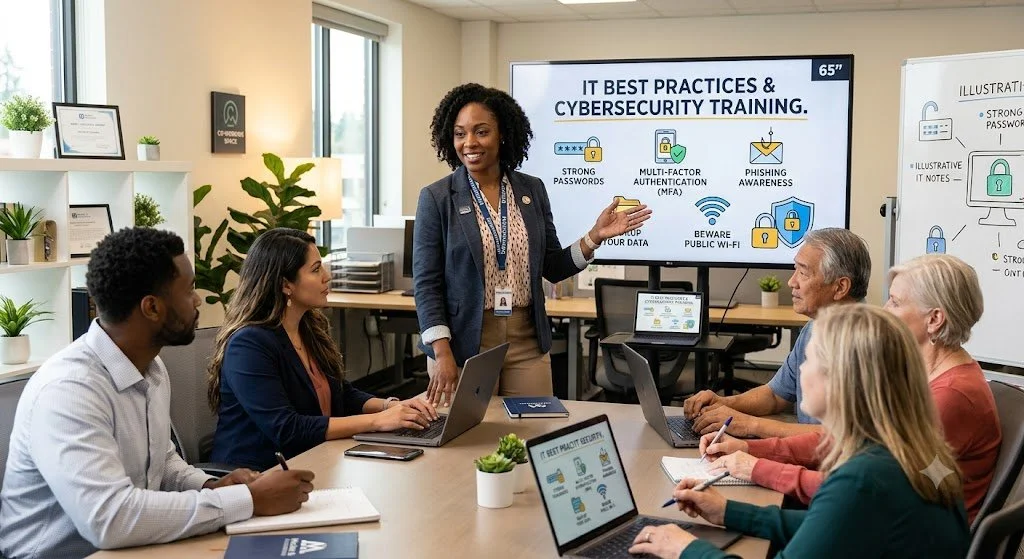
Your Employees Take IT Cues from Leadership: Setting Security Expectations from the Top
Is your small business secure, or is convenience creating a vulnerability? Cybersecurity is more than firewalls—it is a cultural reflection of leadership. When management bypasses safety protocols, employees do too. Discover how to set a secure tone from the top, implement clear policies, and protect your business by leading by example
When small business owners talk about cybersecurity, they usually focus on firewalls, software updates, 2FA, and encryption.
While those technical tools are necessary, they are completely useless if your organizational culture undermines them. In the world of small business, cybersecurity isn't just an IT problem, it is a cultural reflection of management’s priorities.
Employees watch leadership closely. If owners and managers treat cybersecurity protocols as optional nuisances, the rest of the team will follow suit.
The Trickle-Down Effect of Lax Security
If you bypass multi-factor authentication (MFA) because it takes too long, share passwords via sticky notes, or repeatedly delay critical system updates, you are sending a clear message to your staff: security doesn't actually matter here. Sigh. If I had a nickle…
When leadership exhibits lax behavior, employees naturally mirror those habits. They begin reusing passwords across platforms, downloading unapproved applications, and ignoring phishing warning signs. No amount of expensive software can protect a company when its own team actively bypasses safeguards due to a culture of convenience.
How Management Sets the Tone
Fostering a secure business environment requires active leadership. You can establish a robust security culture by prioritizing three foundational steps:
Implement an Acceptable Use Policy (AUP): Clearly define written expectations regarding how company technology, data, and networks must be handled.
Provide Ongoing Training: Move away from "one-and-done" onboarding. Regular, engaging security awareness training keeps threats top-of-mind for your team.
Lead by Example: Model the behavior you expect. Follow every protocol, use a password manager, and openly discuss security priorities.
Only You Can Model Best Behavior
Ultimately, your team will only take technology safeguards as seriously as you do. By actively prioritizing IT best practices, you transform cybersecurity from a technical chore into a shared organizational value.
R

Mastering the SLAM Method to Avoid Phishing Attacks
A single deceptive email can compromise your entire business. Is your team trained to spot the fakes? Discover the SLAM method—a simple, four-step framework (Sender, Links, Attachments, Message) designed to help small business owners identify phishing attempts in an era of evolving cyber threats.
The fallout from a security breach can be catastrophic for a small business. We recently saw an uptick in unauthorized emails targeting contacts with fraudulent requests for money. While these incidents are stressful, they highlight a critical truth for small business owners: your first line of defense isn't a firewall; it's your ability to spot a phish.
To keep your business and your team safe, we recommend a simple, memorable framework called the SLAM method. SLAM stands for Sender, Links, Attachments, and Message. Here is how to use it to evaluate every email that hits your inbox.
1. S (Sender)
Always scrutinize the sender's email address. Cybercriminals are masters of "spoofing" or creating addresses that look nearly identical to trusted sources. Before you hit reply, verify that the address matches the expected source exactly. If it looks off, treat it as a threat.
2. L (Links)
Be extremely cautious with embedded links. Before clicking, hover your mouse over the link to preview the actual destination URL. If the previewed address doesn't match the content of the email or leads to a suspicious-looking domain, do not click.
3. A (Attachments)
Think twice before opening any attachment, especially if it was unexpected. Malicious files are the primary way hackers infect devices with malware or ransomware. If you weren't expecting a document, call the sender to verify it before opening.
4. M (Message)
Pay close attention to the tone and content. Does the email create a sense of extreme urgency? Are there glaring spelling errors or unusual language? Be particularly wary of any request for sensitive information or financial transactions.
What to Do if You Suspect a Phish
If an email feels "off," do not respond. Report it as junk and delete it immediately.
When in doubt, pick up the phone and give me a call, or, forward me a screenshot. 30-seconds today could save your business from a year of headaches.
R

The Role of Employee Training in Preventing PII Breaches
Your employees handle PII daily—are they protecting it? Learn how employee training can prevent costly data breaches and strengthen your security.
You’re a small business.
You handle Personally Identifiable Information (PII) all the time.
You can invest in the best firewalls, encryption tools, and cybersecurity software, but if your employees don’t know how to safeguard PII correctly, your business is still at risk.
In fact, human error is one of the leading causes of data breaches. That’s why employee training isn’t just an IT concern — it’s a business survival strategy.
Why Employee Training Matters
Your employees interact with PII daily: customer names, addresses, payment details, account numbers … if they don’t know how to protect this information, cybercriminals can exploit their mistakes. Phishing emails, weak passwords, misplaced documents, and accidental data sharing are all common pitfalls.
What Should PII Training Cover?
Recognizing Phishing Attacks. Employees should be able to spot suspicious emails, links, and attachments designed to steal sensitive data.
Strong Password Practices. Implement passphrases, multi-factor authentication (MFA), and secure password managers to reduce vulnerabilities.
Handling Data Securely. Teach employees where and how to store, access, and dispose of PII. Locking down USB drives, shredding documents, and using secure cloud storage are key.
Social Engineering Awareness. Scammers often impersonate coworkers, IT support, or even customers to gain access to PII. Employees should verify requests before sharing data.
Incident Reporting. If a breach happens, immediate action is critical. Employees must know who to report to and how to contain the damage.
Behavioral Training: The Human Firewall for Protecting PII
Technical Controls alone can’t keep Personally Identifiable Information (PII) safe. Your employees and their behaviors are the first line of defense against breaches. That’s why behavioral training is just as important as security tools. Small mistakes, like clicking a phishing link or writing down passwords, can expose sensitive data. Teaching employees to think before they act is key to protecting customer and business information.
Key Behavioral Training Areas
Phishing and Social Engineering Awareness. Employees need to recognize suspicious emails, fake login pages, and fraudulent phone calls. They should be trained to verify requests, never click unknown links, and report anything suspicious.
Secure Password Habits. Weak passwords are an open invitation to hackers. Employees should be required to use passphrases instead of simple passwords, enable multi-factor authentication (MFA), and avoid writing down or sharing login credentials.
The Principle of Least Privilege. Employees should only access the data necessary for their role. Training should emphasize that curiosity isn’t an excuse for looking at sensitive data, and accessing unauthorized information can have serious consequences. Management should craft job descriptions that emphasize least privilege in action: certain levels of employees should only see certain levels of information.
Safe Data Handling. Employees must understand the risks of leaving documents unattended, storing PII on personal devices, or discussing sensitive information in public places. Shredding physical documents and locking screens when away from a workstation should become second nature.
Incident Response and Reporting. Employees should not fear repercussions for reporting a security mistake. Encouraging quick reporting of lost devices, phishing attempts, or suspicious activity can prevent bigger breaches. Incident Response is critical. Most states demand a time-frame for reporting data breaches or losses to consumers. Further, without reporting, there can be no corrective action to improve the information system.
The Importance of People
Security isn’t just an IT responsibility, it’s about fostering a company-wide culture to value PII — to treat it with kid-gloves. Behavioral training transforms employees from potential risks into active defenders of your business’s data.
Training isn’t a one-time event. Cyber threats evolve, and your employees need ongoing education to stay ahead. A well-trained team isn’t just your first line of defense. It’s your strongest.
R