

Defending Against Social Engineering Attacks
Is your small business safe from social engineering? Cybercriminals frequently bypass complex firewalls by targeting your employees instead. To protect your business from costly manipulation tactics, implement this practical, four-step playbook designed to help your team recognize the signs, protect critical data, verify unusual requests, and report threats immediately.
Small business owners and managers are highly sought-after targets. You’ve got access to your company’s most valuable assets: financial accounts, proprietary data, and employee information. Cybercriminals know this, and instead of hacking your firewall — which is technically difficult — they often try to "hack" your people through social engineering.
Protecting your business requires a practical, structured approach to spot and stop these manipulative tactics. Use this four-step playbook to train your team and secure your operations.
Step 1: Recognize the Signs
Social engineering relies on deception, but attackers almost always leave clues. Train your team to look out for:
Urgency: Demands for immediate action or threats of severe consequences (e.g., "Pay this invoice now or your service will be terminated").
High-Value Requests: Sudden solicitations for sensitive credentials, employee tax forms, or wire transfers.
Odd Anomalies: Unexpected or out-of-character emails from known vendors, clients, or even executive leadership.
Step 2: Protect Personal & Business Information
Attackers research your company online to make their scams look authentic. Implement a strict "need-to-know" culture. Employees should never share financial data or passwords over email or phone. Additionally, caution your staff about oversharing operational details on social media, as bad actors use these details to craft highly targeted phishing lures.
Step 3: Verify Before Trusting
Never take a high-stakes digital communication at face value. If an email looks suspicious — or requests an unusual financial transaction — verify the sender’s identity using an alternative, trusted channel. Call the client or vendor using a phone number you already have on file, not the number listed in the suspicious email. Check carefully for misspellings, slightly altered domain names, or incorrect logos.
Step 4: Report and Alert
If an employee spots a threat, train them to act immediately. Establish a clear internal protocol: gather all information about the incident, report it to your IT support team right away, and alert colleagues so they don't fall for the same scam.
Don’t have an IT support team? I’m just a click away.
R

Fingerprinting — the Ghost in the Machine
Think your "Incognito" mode is keeping your business research private? Think again. Learn about browser fingerprinting—the forensic tracking method that identifies your business devices even without cookies. Discover practical steps to harden Chrome, Edge, and Safari to protect your competitive intelligence and data privacy.
As a small business owner, you likely value discretion.
Whether you’re researching a competitor, scouting new locations, or looking into sensitive financial tools, you might rely on "Incognito" or "Private" browsing modes to keep your activities under wraps.
However, as Android Police recently highlighted, there is a much more persistent tracking method at play, and today we’re going to explore a concept called Browser Fingerprinting.
What is Fingerprinting?
Unlike traditional cookies which are like digital ID cards stored on your computer, fingerprinting is more like a forensic analysis. When you visit a website, your browser shares a wealth of technical data to help the site load correctly. This includes your screen resolution, installed fonts, battery level, time zone, and even the specific version of your operating system.
When combined, these unique data points create a "fingerprint" so specific that it can identify you with staggering accuracy, even if you’ve cleared your cookies or are using a private window.
How to Protect Your Business
Standard private browsing won’t stop a fingerprint. To fight back, you can harden the tools you already use:
Tighten Edge & Safari Settings: In Edge, set Tracking Prevention to "Strict" in your Privacy settings. In Safari, ensure "Hide IP address from trackers" is enabled to break the primary link trackers use to build your profile.
Standardize Your Hardware: One of the best ways to hide is in plain sight. If everyone in your office uses the same laptop model and OS version, you share a nearly identical fingerprint, making it much harder for scripts to pick out an individual user.
The "Incognito" Rule: In all three browsers, continue using Incognito/Private mode. While it doesn't stop fingerprinting, it prevents the combination of your fingerprint with your long-term browsing history.
Enable "Shields Up" in Edge: Go to Settings > Privacy, search, and services. Set your "Tracking prevention" to Strict. This blocks a majority of fingerprinting scripts by default.
Leverage Safari’s Intelligence: Safari automatically uses Intelligent Tracking Prevention (ITP). To go further, ensure "Hide IP address from trackers" is enabled in your Privacy settings; this prevents trackers from using your IP as a key part of your fingerprint.
Chrome’s Privacy Sandbox: Chrome is moving away from cookies toward a "Privacy Sandbox." While controversial, you can go to Settings > Privacy and security > Ad privacy and turn off these features to prevent Chrome from sharing your "interests" with sites, which is a form of profiling.
Why It’s a Business Risk
For a business owner, fingerprinting isn't just about targeted ads; it’s about data silhouettes.
Competitive Intelligence: If you are researching a niche market, fingerprinting allows data brokers to link those searches back to your specific device and location.
Security & Profiling: Constant tracking builds a profile of your business habits, which can be sold to third parties, potentially affecting anything from the software prices you’re quoted to the insurance risk profiles generated for your company.
How to Protect Your Business
Standard private browsing won’t stop a fingerprint. To fight back, consider these steps:
Use Privacy-First Browsers: Browsers like Brave or Firefox have built-in "anti-fingerprinting" protections that randomize the data your browser sends out.
Limit Extensions: Every browser extension you add makes your "fingerprint" more unique. Keep your business machines lean.
VPNs are Only Half the Battle: A VPN hides your IP address, but the fingerprint of your actual device remains the same.
In the digital age, being "invisible" takes more than a single click. It requires understanding that your hardware speaks even when you aren't.
Pro-Tip: want to audit your own business devices? You can see what your browser is leaking by visiting a tool like Cover Your Tracks.
Got questions? I’ve got answers.
R
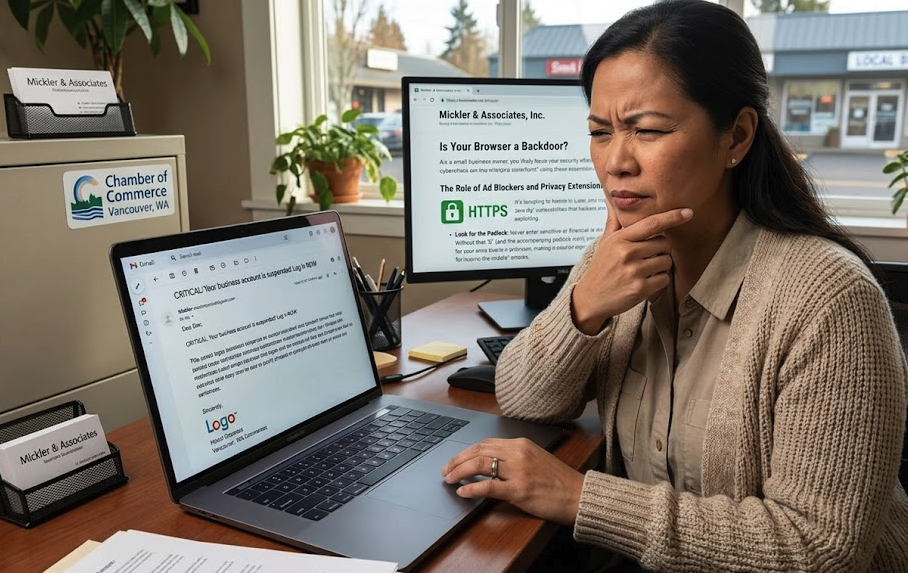
Is Your Browser a Backdoor?
Your web browser is often the weakest link in your small business security. Russell Mickler explains why 48% of attacks involve browser activity and provides actionable, non-technical steps—like enabling Chrome's Enhanced Protection—to shield your business from data theft, ransomware, and man-in-the-middle attacks.
As a small business owner, you likely focus your security efforts on strong passwords or complex firewalls. However, recent data suggests the real danger is much closer to home. According to a report highlighted by ZDNet, 48% of all cyberattacks now involve web browser activity.
For a small business, a single compromised browser can lead to data theft, ransomware, or financial ruin. Here is how you can secure your "digital storefront" using these essential tips.
The Big Three: Simple Moves for Major Impact
You don't need a massive IT budget to close the most common security gaps. Start with these three non-negotiables:
Update Relentlessly: It’s tempting to click "Remind Me Later," but browser updates are your first line of defense. They contain critical patches for "zero-day" vulnerabilities that hackers are already exploiting.
Look for the Padlock: Never enter sensitive business or financial data into a site that uses HTTP instead of HTTPS. Without that "S" (and the accompanying padlock icon), your data is traveling in plain text, making it an easy target for "man-in-the-middle" attacks.
By enabling "Always use secure connections" in Chrome, you are essentially putting a safety guardrail on your browser. Here is how this prevents a compromise:
Blocks "Man-in-the-Middle" Attacks: Without SSL (HTTPS), data sent between your computer and a website — like a credit card number or a login — is sent in "plain text." This means anyone on the same network (like at a coffee shop) can intercept and read it. Chrome’s native protection forces an encrypted connection, making that data unreadable to prying eyes.
Prevents Accidental Phishing: Many phishing sites are hosted on cheap, unencrypted HTTP servers. If you accidentally click a link to one of these, Chrome will stop you with a full-page warning before you even see the site, preventing you from ever entering your credentials.
Advanced Protection for Your Team
If your employees are online all day, consider these additional layers:
Ad Blockers: Tools like Privacy Badger don’t just stop annoying pop-ups; they prevent malicious "Clickfix" scripts and tracking that can slow down your systems and leak data.
Enhanced Protection: Within Chrome’s Privacy and Security settings, toggle on Enhanced Protection. This provides real-time warnings against known phishing sites and dangerous downloads before they can touch your hard drive.
The Bottom Line
In the age of AI-driven threats, your web browser is a primary target. By turning these habits into standard operating procedures for your business, you can significantly reduce your risk of becoming a statistic. Need help flipping these switches? Give me a ring.
R