

Five Signs It's Time to Hire an IT Company Instead of Calling Your "Computer Guy"
Is your computer guy no longer enough? Learn five signs your Vancouver or Portland small business may need professional managed IT support.
I met a small business owner who described their IT support arrangement this way:
“Yeah, we have a computer guy. He’s a fella from my church. We call him when something breaks.”
That arrangement worked fine when the company had four employees, a couple of PCs, and most of their files lived on one computer.
Years later, the business had grown to more than a dozen employees. Their application portfolio consisted of Microsoft 365, SharePoint and OneDrive, and 3rd party cloud applications. They had remote workers, shared files, and hosted critical customer data, but IT was still being handled by the church friend one emergency at a time. Turns out that guy had a full-time job and would have to get to the problem at nights, imposing delays on company operations.
In my experience, that’s usually when the “I’ve got a computer guy” support model starts showing its limits.
For a growing small business, it may be time to hire an IT company when technology has become important enough that preventing problems matters more than simply fixing them.
1. You're Calling for Help Too Often
Occasional computer problems happen, but if someone is regularly calling for help with email, printers, passwords, Wi-Fi, Microsoft 365, or slow computers, those problems are costing more than the repair bill.
Employees lose productive time while someone waits for the problem to be diagnosed and fixed. Professional IT support should look for recurring problems and eliminate them instead of repeatedly treating the symptoms.
2. Nobody Is Watching Your Cybersecurity
Who monitors your computers for malware? Who makes sure security updates are installed? Who checks that former employees no longer have access to company accounts?
If the answer is “nobody,” that's a warning sign.
Small businesses don't necessarily need complicated cybersecurity systems, but they do need someone taking responsibility for basics such as updates, account security, backups, antivirus protection, and employee access.
3. Your Backup Plan Is Mostly Hope
“We back everything up” should be followed by another question: Can you restore it? I think that question gets even more complicated by adding, “Can the church guy restore it when he’s available?”
A backup that hasn't been checked may not be much of a backup. An IT company can monitor backups, address failures, and periodically verify that important business information can actually be recovered.
4. One Person Knows How Everything Works
Your Wi-Fi password, Microsoft 365 administrator account, domain registration, backup system, and network configuration shouldn't exist solely inside someone's head.
Good IT support includes documentation. If your computer person became unavailable tomorrow, another qualified technician should be able to understand your systems and keep the business running.
5. Technology Problems Are Becoming Business Problems
Yikes. This is probably the biggest sign.
When an email outage prevents customers from reaching you, a failed computer stops someone from billing, or a security incident threatens confidential information, you're no longer dealing with a computer problem. You're dealing with a business problem.
For companies with 2–50 employees, managed IT services can provide something the break-fix model generally doesn't: ongoing responsibility for keeping technology reliable, secure, and recoverable.
If your business is reaching that point, Mickler & Associates, Inc. provides professional IT support for small businesses throughout Vancouver, WA and Portland, OR, including cybersecurity, Microsoft 365, cloud services, and managed IT. Contact us and let's talk about what your business actually needs — without making IT more complicated than it has to be.
R
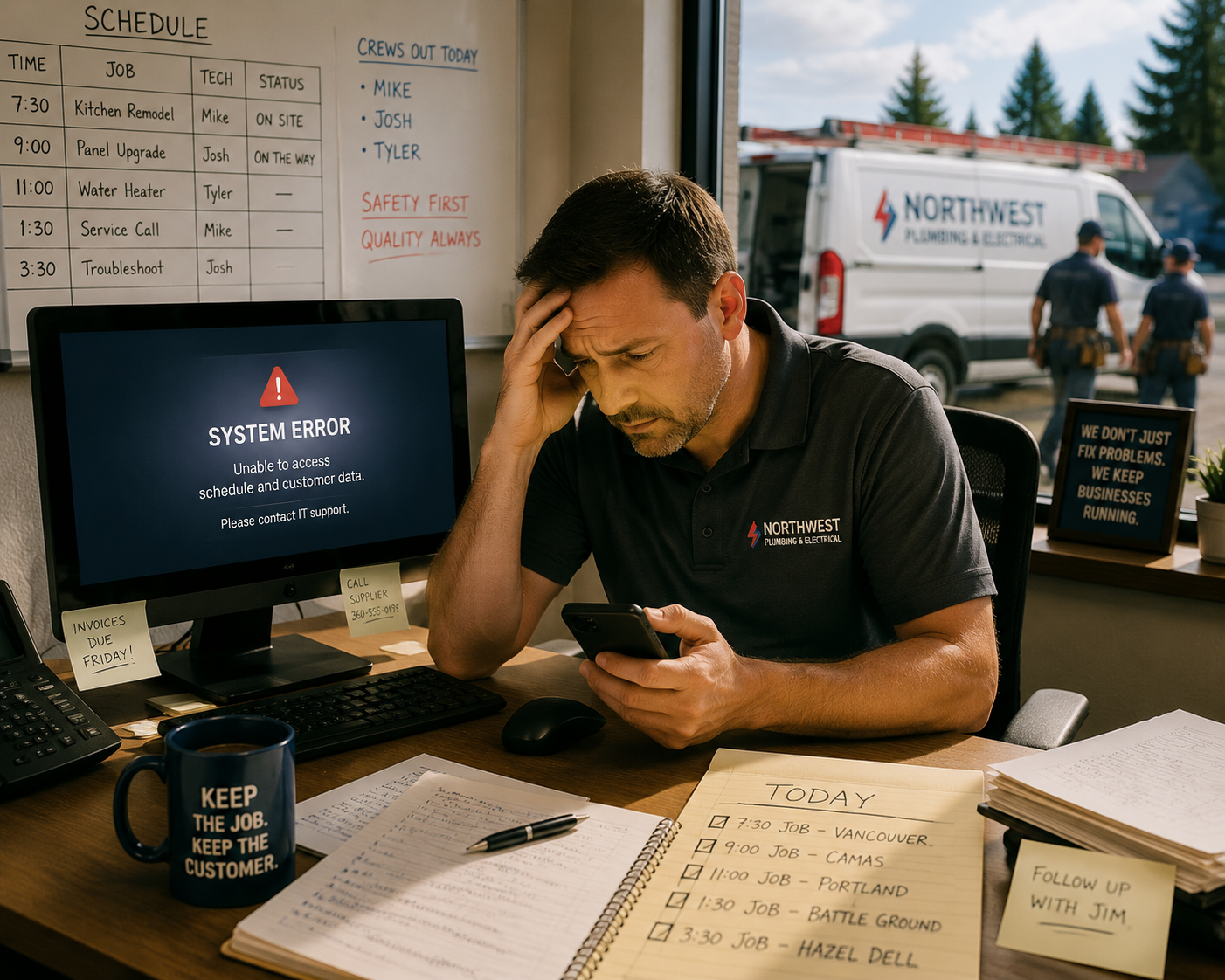
Why Every Vancouver Plumbing & Electrical Contractor Needs Managed IT
Discover why managed IT services help Vancouver plumbing and electrical contractors reduce downtime, improve security, and keep jobs running smoothly.
Okay, picture this.
It's 7:15am on a Monday in Vancouver, WA. A plumbing company has three crews heading to job sites, but nobody can access the schedule. The office computer won't start, customer information is unavailable, and invoices from Friday haven't been sent. Every hour the system stays down means lost revenue, frustrated customers, and technicians waiting instead of working. Yikes!
That's exactly why managed IT services for plumbing and electrical contractors have become less of a luxury and more of a business necessity.
Technology Keeps the Work Moving
Most contractors rely on technology more than they realize. Estimates, invoices, scheduling, customer communication, QuickBooks, Microsoft 365, and cloud-based field service software all have to work together.
When one piece fails, the entire day can fall apart.
For plumbing and electrical contractors serving Vancouver, WA and Portland, OR, reliable IT isn't about having the newest or even the best computers. It's about keeping your crews productive and your office operating without interruption.
Four Ways Managed IT Makes a Difference
Prevent Problems Before They Become Emergencies. Waiting until something breaks is expensive. Regular monitoring, software updates, and maintenance catch many issues before they create downtime.
Protect Customer and Business Data. Contractors store customer addresses, payment information, contracts, and employee records. Cybercriminals know that smaller businesses often have fewer defenses. Good cybersecurity helps protect your reputation as much as your data.
Support Your Team Wherever They Work. Your office staff may be in Vancouver while technicians are spread across Clark County or Portland. Managed IT helps everyone securely access the files and applications they need whether they're in the office or on a job site.
Plan for Growth. As your business adds employees, vehicles, or another office, your technology should grow with you. Having a long-term IT plan prevents expensive surprises later.
The Business Benefits
Reliable technology means fewer interruptions, happier customers, and motivated employees who spend more time serving clients instead of troubleshooting computers.
It also creates predictable IT costs, faster response when problems occur, and confidence that someone is watching over your systems even when you're focused on running your business.
Remember that plumbing company from the beginning? After moving to managed IT, their crews started every morning with working schedules, secure cloud access, and confidence that if something went wrong, help was only a phone call away. Instead of worrying about computers, they focused on serving customers. That’s a big part of what we do around here.
Let's Keep Your Business Running
If you're a plumbing or electrical contractor in Vancouver, WA or the Portland metro area, you don't need an oversized IT department. You just need dependable tech that works every day.
Whether you need managed IT, cybersecurity, Microsoft 365 support, cloud services, or help planning your technology, the team at Mickler & Associates, Inc. is here to help. We'd be happy to talk through your business, answer your questions, and build an IT solution that fits the way you work. You can even ask for a free security assessment.
Got questions? I’ve got answers.
R

How Local IT Support Improves Patient Experience
For medical practices in Vancouver, WA and Portland, OR, IT isn’t just back-office support — it directly shapes the patient experience. Reliable systems reduce downtime, speed check-ins, support secure communication, and keep telehealth running smoothly. When technology works seamlessly, patients notice. This article explores how responsive local IT support improves efficiency, protects sensitive data, and helps healthcare practices deliver a consistent, professional experience patients trust.
When people think about IT in a medical office, they often picture servers, passwords, and software updates. But in reality, technology plays a direct role in how patients experience your practice. From self-service scheduling and check-in to follow-up communication, reliable IT systems shape whether a visit feels smooth and professional (or slow, frustrating, and delayed).
Downtime is one of the quickest ways to erode patient confidence. If systems are slow, unavailable, or constantly malfunctioning, front desk staff struggle to check patients in, verify insurance, or access records. Appointments run behind schedule, and frustration builds in the waiting room. Consistent local IT support helps prevent these issues by maintaining systems, applying updates, and addressing problems before they become major disruptions.
Secure communication is another key factor. Patients increasingly expect email reminders, electronic forms, and even telehealth options. These tools must be convenient but also secure. Properly configured email encryption, patient portals, and file-sharing systems allow practices to communicate efficiently while protecting sensitive health information.
Reliable networks and well-maintained devices also speed up the check-in process. When systems work as intended, staff can focus on patient interaction rather than troubleshooting computers or waiting for screens to load. Faster workflows mean shorter wait times and a more professional, reassuring environment for patients.
Telehealth is another area where IT directly impacts satisfaction. Clear video connections, stable platforms, and secure access ensure virtual visits feel just as organized and dependable as in-person appointments.
Local IT support brings an additional advantage: responsiveness. When issues arise, having a nearby partner who understands your systems and can respond quickly keeps disruptions to a minimum.
In healthcare, patient trust is everything. When technology works seamlessly in the background, patients notice, and their confidence in your practice grows.
How can I help you? Just ask.
R